
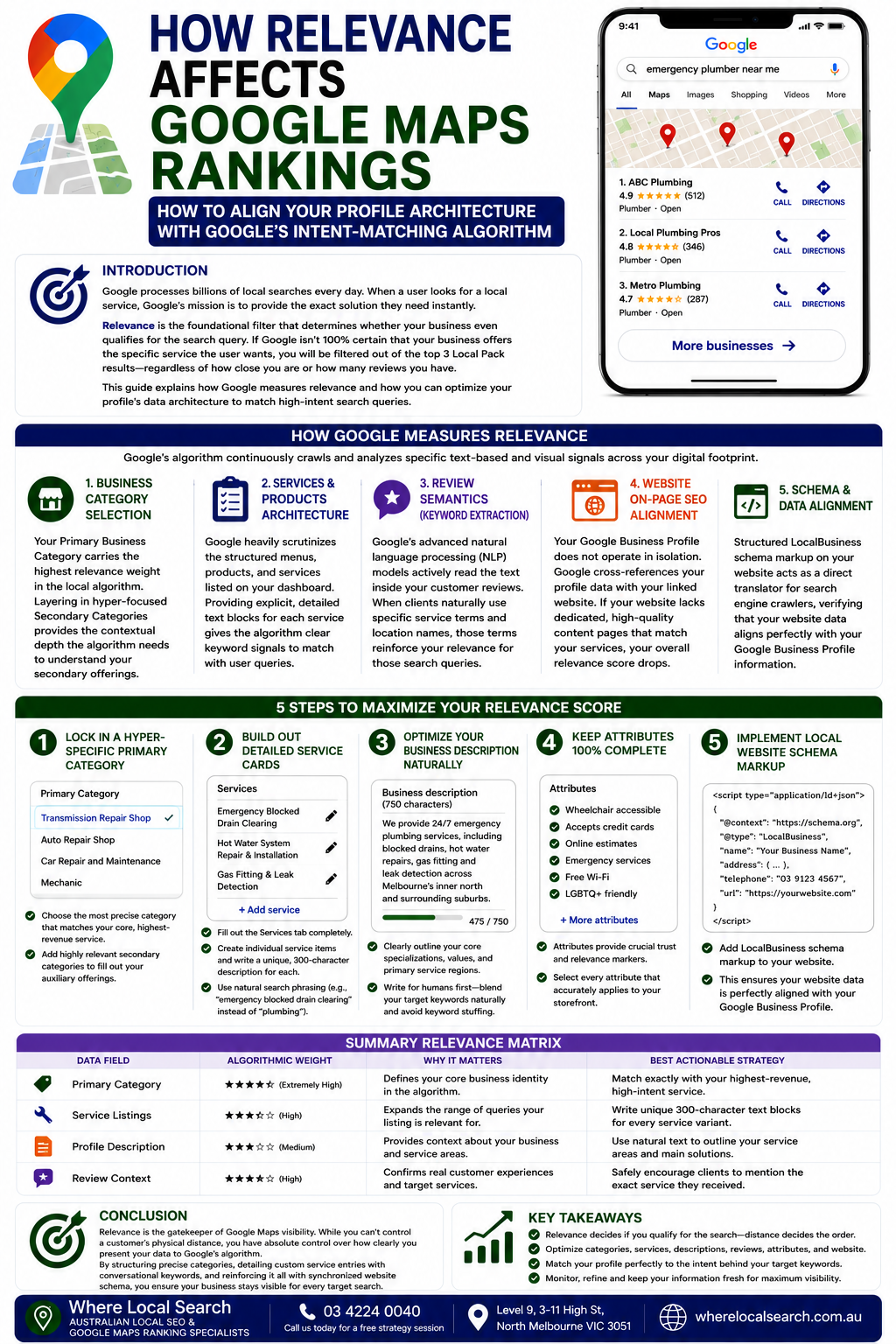
How to Align Your Profile Architecture with Google’s Intent-Matching Algorithm
Google processes billions of local searches every day. When a user looks for a local service, Google’s primary mission is to provide the exact solution they need instantly. To achieve this, the local search algorithm evaluates profiles based on three core pillars: Distance, Relevance, and Prominence.
While distance is determined by the searcher's physical location, Relevance is the foundational filter that determines whether your business even qualifies for the search query. Relevance measures how well a local business profile matches what someone is actively searching for. If Google’s algorithm isn't 100% certain that your storefront offers the specific service the user wants, you will be filtered out of the top 3 Local Pack results—regardless of how close you are or how many reviews you have.
In this guide, we will break down exactly how Google measures relevance and how you can optimize your profile's data architecture to match high-intent search queries.
How Google Measures Relevance
Google's algorithm doesn't guess what your business does; it continuously crawls and analyzes specific text-based and visual signals across your digital footprint. Here are the primary signals the algorithm uses to calculate your relevance score:
Your Primary Business Category carries the highest relevance weight in the local algorithm. It serves as the core identity marker for your listing. Layering in hyper-focused Secondary Categories provides the contextual depth the algorithm needs to understand your secondary offerings.
Google heavily scrutinizes the structured menus, products, and services listed on your dashboard. Leaving these fields blank or using generic, one-word titles leaves massive gaps in your data structure. Providing explicit, detailed text blocks for each service gives the algorithm clear keyword signals to match with user queries.
Google's advanced natural language processing (NLP) models actively read the text inside your customer reviews. When clients naturally use specific service terms and location names in their feedback, those terms reinforce your relevance for those distinct search queries.
Your Google Business Profile does not operate in isolation. Google continuously cross-references your profile data with your linked website. If your website lacks dedicated, high-quality content pages that match the services listed on your profile, your overall relevance score drops.
5 Steps to Maximize Your Relevance Score
Step 1: Lock in a Hyper-Specific Primary Category
Do not settle for a broad, generic primary category if a more precise option exists. For example, if you run a specialized vehicle repair shop, choosing "Transmission Repair Shop" instead of a broad "Auto Repair Shop" gives you an immediate relevance boost for high-intent searches. Add highly relevant secondary categories to fill out your auxiliary offerings.
Step 2: Build Out Detailed Service Cards
Fill out the Services tab completely. Avoid bundling all your capabilities into one broad description. Create individual service items for each task you perform, and write a unique, 300-character, plain-language description for each. Use natural search phrasing (e.g., "emergency blocked drain clearing" instead of just "plumbing").
Step 3: Optimize Your Business Description Naturally
Use your 750-character business description to clearly outline your core specializations, values, and primary service regions. Write for human readers first, blending your target keywords naturally while strictly avoiding repetitive keyword stuffing, which triggers algorithmic penalties.
Step 4: Keep Attributes 100% Complete
Attributes provide crucial trust and relevance markers for conversational search tools (like Google's Gemini-powered Ask Maps). Go through your dashboard and select every single checkbox attribute that accurately applies to your storefront—covering amenity filters, payment methods, and specific service variations.
Step 5: Implement Local Website Schema Markup
Ensure your linked website contact page features structured LocalBusiness Schema Markup code on the backend. This code acts as a direct translator for search engine crawlers, verifying that your website data aligns perfectly with your Google Business Profile information.
Summary Relevance Matrix
| Data Field | Algorithmic Weight | Best Actionable Strategy |
|---|---|---|
| Primary Category | Extremely High | Match exactly with your highest-revenue, high-intent service. |
| Service Listings | High | Write unique 300-character text blocks for every service variant. |
| Profile Description | Medium | Use natural text to outline your service areas and main solutions. |
| Review Context | High | Safely encourage clients to mention the exact service they received. |
Conclusion
Relevance is the gatekeeper of Google Maps visibility. While you cannot control a customer's physical distance, you have absolute control over how clearly you present your data to Google's algorithm. By structuring precise categories, detailing custom service entries with conversational keywords, and reinforcing it all with synchronized website schema, you ensure your business remains highly visible for every target search.
Building complex service taxonomies, tracking shifting competitor categories, maintaining website schema configurations, and managing customer review feedback loops takes significant technical execution alongside running your daily storefront operations.
If you want to maximize your local search relevance and ensure your listing hits every major algorithmic lever across Australia, the team at Where Local Search is ready to manage the process end-to-end. As premier specialists in Local SEO and Google Maps optimization, we design custom, data-driven strategies that optimize your entire online presence, turning map discovery into long-term commercial revenue.