
The Ultimate Guide to Unlocking Maximum Local Search Visibility
When it comes to local search engine optimisation (Local SEO), few things carry as much weight as your Google Business Profile (GBP) categories. Your business category is a direct signal that tells Google's algorithm exactly what your business is, what you sell, and who should see your profile when a search query is made.
Choosing the wrong category can lead to your business appearing for completely irrelevant searches—or worse, not appearing at all. Conversely, selecting the right mix of categories can give you an instant edge over competitors and place you directly in front of highly motivated local buyers.
In this guide, we will explore the critical differences between Primary and Secondary categories, how to research the best options for your specific niche, and best practices to keep your profile fully optimised.
Primary vs. Secondary Categories: What’s the Difference?
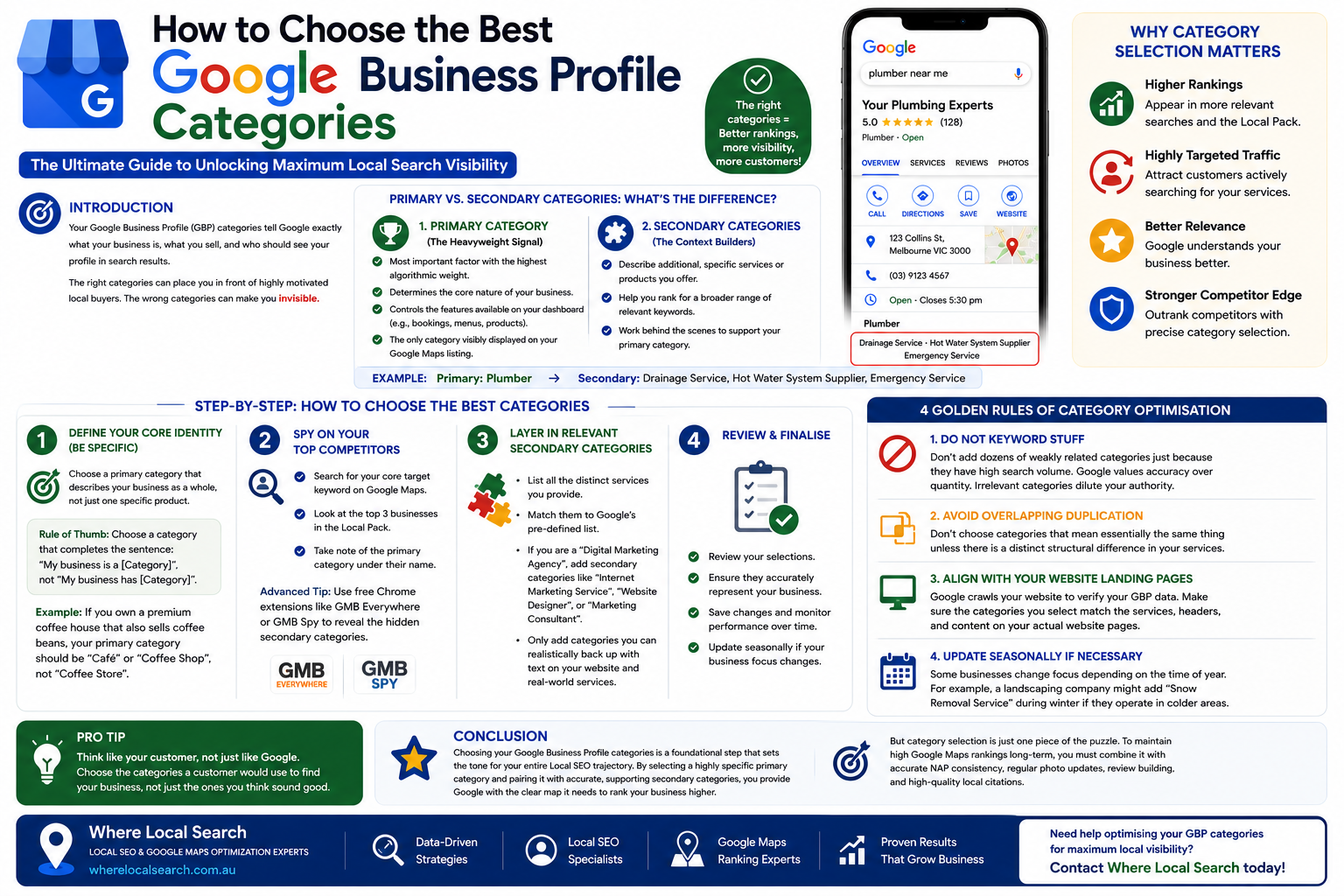
Google allows you to choose one Primary Category and up to nine Secondary Categories. Understanding how Google treats these options is vital for your ranking strategy.
1. The Primary Category (The Heavyweight Signal)
Your Primary Category is the most important factor. It holds the highest algorithmic weight and tells Google the core nature of your business. It dictates the specific features available on your dashboard (e.g., hotels get booking features, restaurants get menu features) and is the only category that is visibly displayed to users on your public Google Maps listing.
2. Secondary Categories (The Context Builders)
Secondary Categories are used to describe additional, specific services or products you offer that might not be fully covered by your primary choice. They work behind the scenes to help you rank for a broader range of keywords.
Example: If your primary category is "Plumber", your secondary categories might include "Drainage Service", "Hot Water System Supplier", or "Emergency Service".
Step-by-Step: How to Choose the Best Categories
Because Google has a pre-defined list of over 4,000 specific business categories (and they change/add new ones regularly), you cannot simply type in a custom name. You must choose from their dropdown list. Here is how to pick the perfect setup:
Step 1: Define Your Core Identity (Be Specific)
Always choose a primary category that describes your business as a whole, not just one specific product.
📌 Rule of Thumb: Choose a category that completes the sentence: "My business is a [Category]", rather than "My business has [Category]".
Example: If you own a premium coffee house that also sells bags of coffee beans, your primary category should be "Café" or "Coffee Shop", not "Coffee Store".
Step 2: Spy on Your Top Competitors
One of the easiest ways to find out what works is to analyze what the top-ranking businesses in your area are doing. Search for your core target keyword on Google Maps (e.g., "Local SEO Melbourne" or "Dentist near me"), look at the top 3 businesses appearing in the Local Pack, and take note of the primary category visible under their business name.
💡 Advanced Tip: You can use free Google Chrome extensions like GMB Everywhere or GMB Spy to reveal the hidden secondary categories your competitors are utilizing.
Step 3: Layer in Relevant Secondary Categories
Once your primary identity is set, list all the distinct services you provide and match them to Google's list. If you are a "Digital Marketing Agency", add secondary categories like "Internet Marketing Service", "Website Designer", or "Marketing Consultant". Only add categories that you can realistically back up with text on your website and real-world services.
4 Golden Rules of Category Optimisation
To avoid algorithmic penalties and ensure smooth rankings, keep these rules in mind:
Do not add dozens of weakly related categories just because they have high search volume. Google values accuracy over quantity. Adding irrelevant categories dilutes your profile's authority and confuses the algorithm.
Don't choose categories that mean essentially the same thing unless there is a distinct structural difference in your services.
Google crawls your website to verify your GBP data. Make sure the categories you select match the services, headers, and content displayed on your actual website pages.
Some businesses change focus depending on the time of year. For example, a landscaping company might switch or add "Snow Removal Service" during peak winter months if they operate in colder climates.
Conclusion
Choosing your Google Business Profile categories is a foundational step that sets the tone for your entire Local SEO trajectory. By selecting a highly specific primary category and pairing it with accurate, supporting secondary categories, you provide Google with the clear map it needs to rank your business higher.
However, category selection is just one piece of the puzzle. To maintain high Google Maps rankings long-term, you must combine it with accurate NAP consistency, regular photo updates, review building, and high-quality local citations.
If you want to ensure your business categories are perfectly aligned with maximum search visibility without the guesswork, the team at Where Local Search can help. As specialists in Australian Local SEO and Google Maps optimization, we analyze your local landscape to implement precise category structures that convert clicks into local customers.