
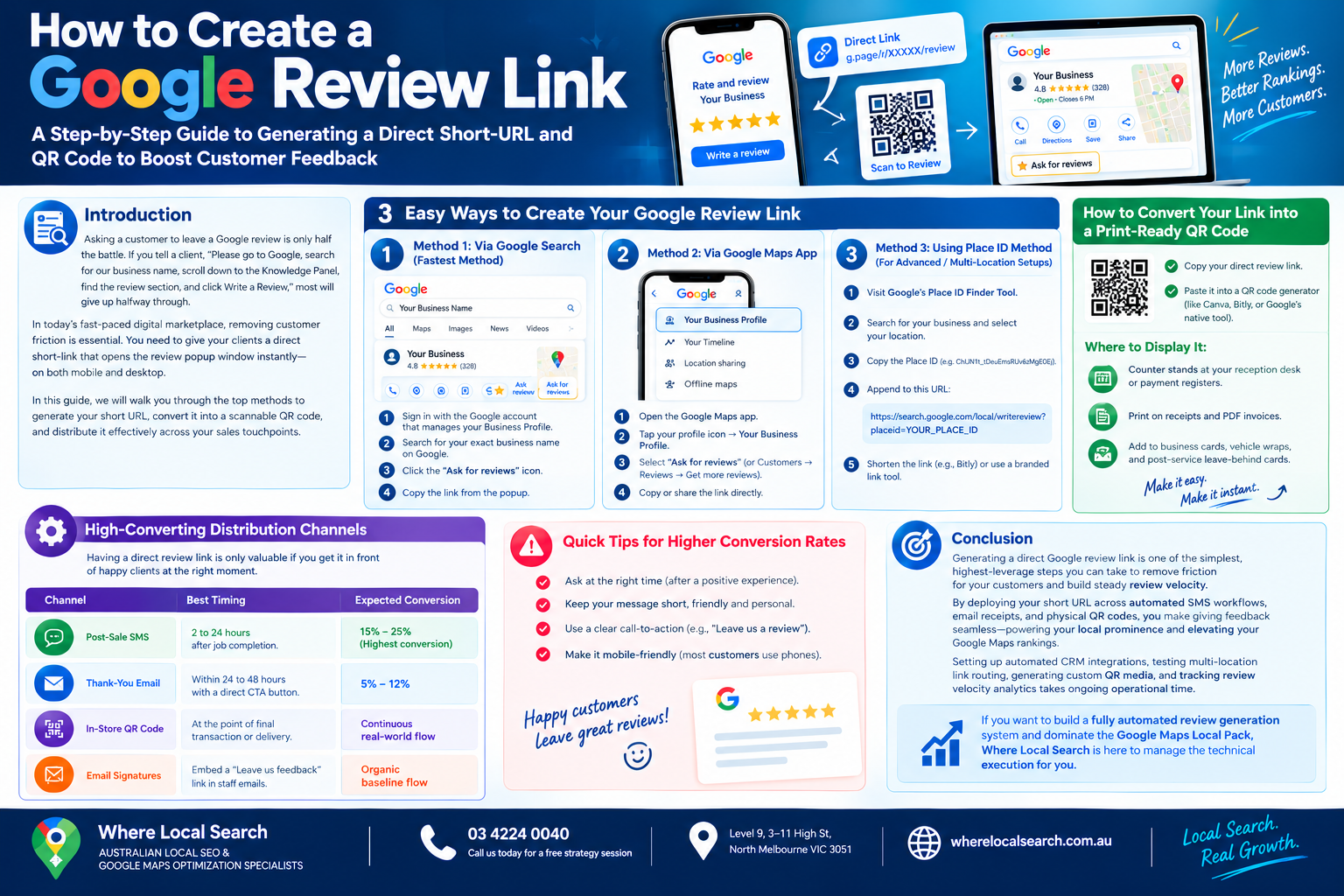
A Step-by-Step Guide to Generating a Direct Short-URL and QR Code to Boost Customer Feedback
Asking a customer to leave a Google review is only half the battle. If you tell a client, "Please go to Google, search for our business name, scroll down to the Knowledge Panel, find the review section, and click Write a Review," most will simply give up halfway through.
In today’s fast-paced digital marketplace, removing customer friction is essential. You need to give your clients a direct short-link that opens the review popup window instantly in one click—on both mobile and desktop.
Creating a direct Google review link takes less than 60 seconds. In this step-by-step guide, we will walk you through the top methods to generate your short URL, convert it into a scannable QR code, and distribute it effectively across your sales touchpoints.
3 Easy Ways to Create Your Google Review Link
Method 1: Via Google Search (Fastest Method)
Google allows verified profile managers to generate a direct review link directly from the main search results page:
- Make sure you are signed into the Google account that manages your Google Business Profile.
- Go to Google.com and search for your exact legal business name.
- On your merchant dashboard panel at the top of the search results, locate and click the "Ask for reviews" icon.
- A popup box titled Get more reviews will appear displaying your direct short URL (formatted as
g.page/r/XXXXX/revieworsearch.google.com/...). - Click Copy Link to save it to your clipboard.
Method 2: Via the Google Maps Mobile App
If you are managing your profile on the go using a smartphone or tablet:
- Open the Google Maps app on your phone.
- Tap your profile icon in the top-right corner and tap Your Business Profile.
- Scroll across the profile dashboard tools and select Ask for reviews (or tap Customers → Reviews → Get more reviews).
- Tap Copy or share the short link directly into your messaging or SMS app.
Method 3: Using the Google Place ID Method (For Advanced / Multi-Location Setups)
If you manage multiple store locations or want a static, permanent URL structure:
- Visit Google’s official Place ID Finder Tool.
- Type your business name in the search bar and select your verified location from the dropdown menu.
- Copy the unique string of letters and numbers generated (e.g.,
ChIJN1t_tDeuEmsRUv6zMgE0Ej). - Append your Place ID to the end of this base URL:
https://search.google.com/local/writereview?placeid=YOUR_PLACE_ID
- Run the long URL through a free link shortener (like Bitly) or a custom branded link tool for clean distribution.
How to Convert Your Link into a Print-Ready QR Code
A direct link works great for digital channels like SMS and email, but physical storefronts require a touchless, scannable format.
Generate the QR Code: Copy your direct review link and paste it into a QR code generator (like Canva, Bitly, or Google's native browser generator).
High-Converting Physical Touchpoints:
High-Converting Distribution Channels for Your Link
Having a direct review link is only valuable if you get it in front of happy clients at the right moment.
| Channel | Best Timing | Expected Conversion |
|---|---|---|
| Post-Sale SMS | Send 2 to 24 hours after job completion. | 15% – 25% (Highest) |
| Thank-You Email | Send within 24 to 48 hours with a direct CTA button. | 5% – 12% |
| In-Store QR Code | Display at the point of final transaction or delivery. | Continuous real-world flow |
| Email Signatures | Embed a subtle "Leave us feedback" link in staff emails. | Organic baseline flow |
Conclusion
Generating a direct Google review link is one of the simplest, highest-leverage steps you can take to remove friction for your customers and build steady review velocity. By deploying your short URL across automated SMS workflows, email receipts, and physical QR codes, you make giving feedback seamless—powering your local prominence and elevating your Google Maps rankings.
Setting up automated CRM integrations, testing multi-location link routing, generating custom QR media, and tracking review velocity analytics takes ongoing operational time.
If you want to build a fully automated review generation system and dominate the Google Maps Local Pack across Australia, the expert team at Where Local Search is here to manage the technical execution for you. As specialized professionals in Local SEO and Google Maps optimization, we build tailored strategies that convert customer satisfaction directly into sustainable commercial revenue.