
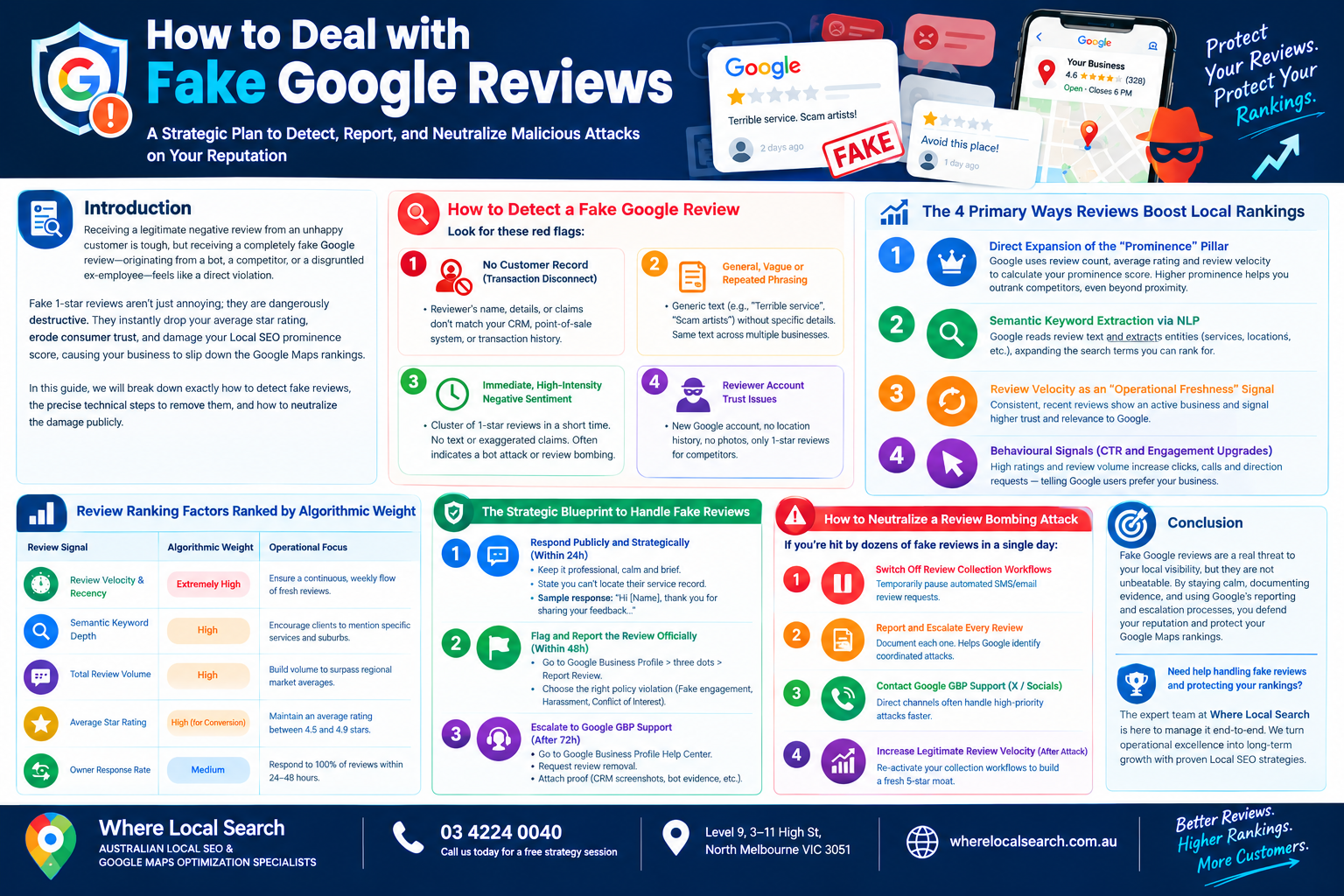
A Strategic Plan to Detect, Report, and Neutralize Malicious Attacks on Your Reputation
Receiving a legitimate negative review from an unhappy customer is tough, but receiving a completely fake Google review—originating from a bot, a competitor, or a disgruntled ex-employee—feels like a direct violation.
Fake 1-star reviews aren’t just annoying; they are dangerously destructive. They instantly drop your average star rating, erode consumer trust, and damage your Local SEO prominence score, causing your business to slip down the Google Maps rankings.
For years, the advice was simply to ignore them. However, in today’s hyper-competitive local search landscape, inaction is not an option. In this guide, we will break down exactly how to detect fake reviews, the precise technical steps to remove them, and how to neutralize the damage publicly.
How to Detect a Fake Google Review
The first step in fighting back is proving the review is illegitimate. Google will only remove reviews that clearly violate their specific content policies. Look for these red flags:
The reviewer’s name, details, or claims do not match any entry in your CRM, point-of-sale system, or transaction history.
The review text is generic (e.g., "Terrible service", "Scam artists") without mentioning specific service details, dates, employees, or product names. Sometimes, you will see the exact same generic text left for multiple competing businesses.
A cluster of 1-star reviews arrives suddenly within a few hours or days—sometimes with identical text, no text at all, or highly exaggerated claims designed to cause maximum damage. This often indicates a bot attack or coordinated review bombing.
The reviewer’s Google account is brand new, has zero previous location history, no photos, and only has 1-star reviews left for competing businesses in your industry.
The Strategic Blueprint to Handle Fake Reviews
Step 1: Respond Publicly and Strategically (Within 24h)
Never leave a fake review unaddressed while waiting for removal. Your public response isn’t for the attacker; it is for potential clients who read your reviews. Keep it professional, calm, and brief. State factually that you cannot locate their service record.
Step 2: Flag and Report the Review Officially (Within 48h)
Do not manually report a review just because you "don't like it." You must select the precise Google content policy it violates:
- Log into your Google Business Profile dashboard.
- Locate the fake review in question and click the three dots next to it.
- Select "Report Review".
- Choose the most accurate policy violation:
- Fake engagement (content not representing a genuine experience)
- Harassment (attacking specific individuals or employees)
- Conflict of Interest (reviews left by ex-employees or competitors)
Step 3: Escalate to Google GBP Support (After 72h)
Google’s automated filters frequently fail to remove reported reviews on the first attempt. If the review remains after 3 business days, you must submit a manual escalation ticket:
- Navigate to the official Google Business Profile Help Center.
- Go to Manage customer reviews → Request review removal.
- Fill out the escalation form precisely.
- Critical Action: Attach proof proving the review is fake—such as CRM screenshots (with sensitive data blurred) showing no record exists, comparisons with known bot accounts, or evidence of a coordinated attack.
How to Neutralize a Malicious Review Bombing Attack
If your business is hit by dozens of fake reviews in a single day (a "review bombing"), take these immediate actions to stop the bleeding:
☑ Switch Off All Active Review Collection Workflows: Temporarily pause any automated SMS or email review request triggers to avoid encouraging legitimate reviews getting mixed in with the fake ones.
☑ Report and Escalate Every Single Review Promptly: Do not ignore any of them. Systematic documentation helps Google’s manual agents identify the coordinated nature of the attack.
☑ Contact Google GBP Support Directly: Use official GBP support channels and escalations to flag high-priority attack scenarios faster than standard ticket queues.
☑ Safely Increase Legitimate Review Velocity After the Attack Stops: Once Google confirms the attack has stopped, reactivate your collection workflows to build a fresh, authentic 5-star moat to dilute any residual damage.
Conclusion
Fake Google reviews are a malicious threat to your local business visibility, but they are not unbeatable. By maintaining a calm public persona, documenting the evidence proving illegitimate status, and systematically executing Google's formal reporting and escalation processes, you defend your digital storefront’s integrity and protect your high-value local search rankings.
Navigating complex policy language, submitting multi-point escalation tickets, coordinating bot-attack defense strategies, and constantly monitoring shifting Google algorithm parameters requires ongoing technical focus.
If you want to protect your digital reputation, handle complex review attacks flawlessly, and securely dominate the Google Maps Local Pack across Australia, the team at Where Local Search is here to manage it end-to-end. As premier specialists in Local SEO and Google Maps optimization, we build structured systems that convert everyday operational excellence into long-term commercial growth.