
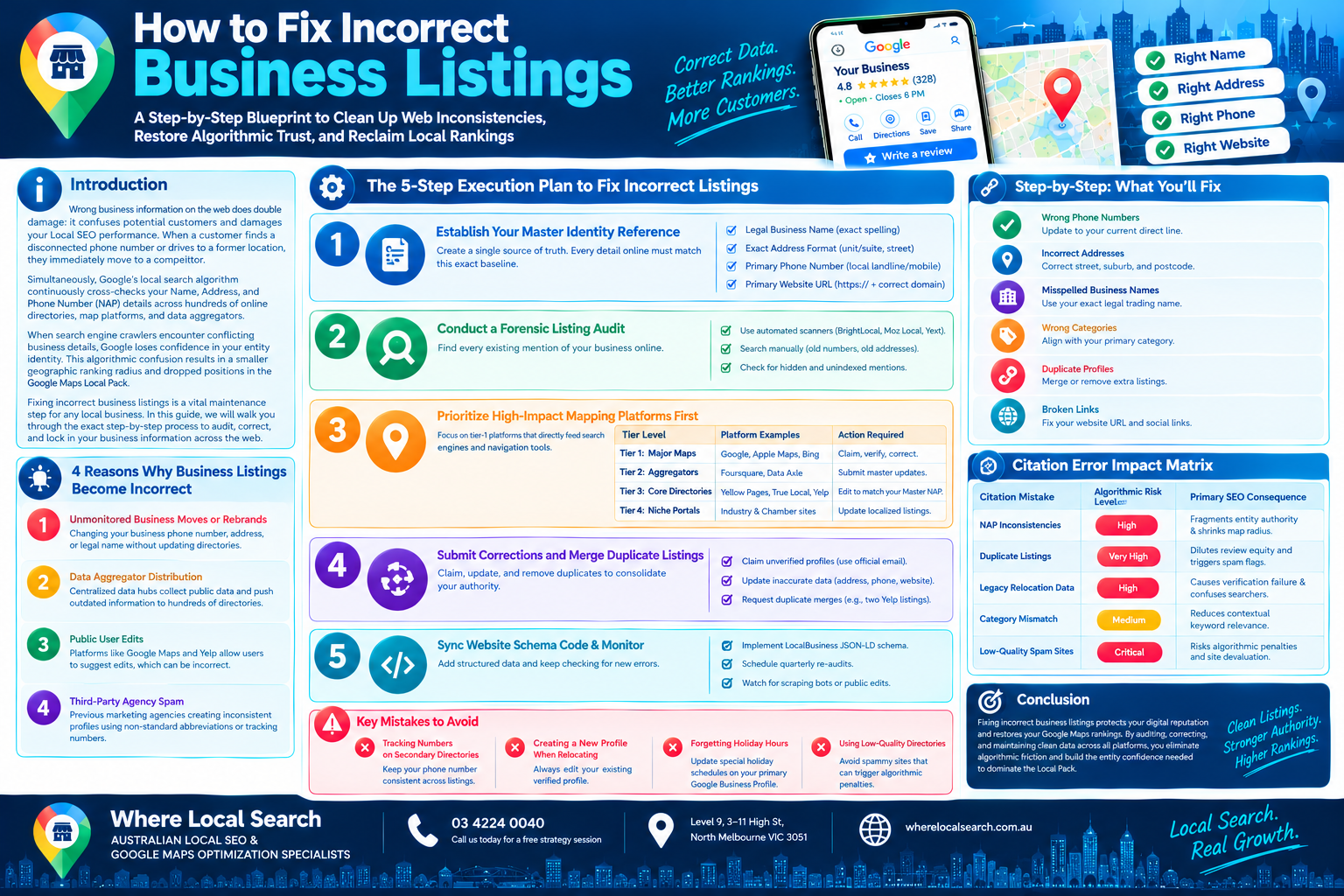
A Step-by-Step Blueprint to Clean Up Web Inconsistencies, Restore Algorithmic Trust, and Reclaim Local Rankings
Wrong business information on the web does double damage: it confuses potential customers and damages your Local SEO performance. When a customer finds a disconnected phone number or drives to a former location, they immediately move to a competitor.
Simultaneously, Google’s local search algorithm continuously cross-checks your Name, Address, and Phone Number (NAP) details across hundreds of online directories, map platforms, and data aggregators.
When search engine crawlers encounter conflicting business details, Google loses confidence in your entity identity. This algorithmic confusion results in a smaller geographic ranking radius and dropped positions in the Google Maps Local Pack.
Fixing incorrect business listings is a vital maintenance step for any local business. In this comprehensive guide, we will walk you through the exact step-by-step process to audit, correct, and lock in your business information across the web.
4 Reasons Why Business Listings Become Incorrect
Before cleaning up errors, it helps to understand how wrong information spreads across the web:
Changing your business phone number, street address, or legal name without updating legacy web directories.
Centralized data hubs (like Foursquare or Data Axle) collect public data. If they scrape an outdated address, they push that mistake to hundreds of downstream directories.
Platforms like Google Maps and Yelp allow public users to suggest edits. Competitors or well-meaning users can unintentionally submit incorrect information.
Previous marketing agencies creating inconsistent directory profiles using non-standardized abbreviations or tracking numbers.
The 5-Step Execution Plan to Fix Incorrect Listings
Step 1: Establish Your Master Identity Reference
Before editing a single directory, create a single "Master Identity Document". Every detail online must match this exact baseline:
- Legal Business Name: Exact spelling (e.g., decide whether to include or exclude "Pty Ltd").
- Exact Address Format: Standardize unit numbers, suite formats, and street abbreviations (e.g., "Suite 2, 100 Main Street").
- Primary Phone Number: Use a consistent direct local landline or mobile line.
- Primary Website URL: Use the correct landing page URL including exact https:// protocols.
Step 2: Conduct a Forensic Listing Audit
Locate every existing mention of your business online:
- Use Automated Scanners: Run automated citation audit tools (such as BrightLocal, Moz Local, or Yext) to identify broken or conflicting profiles.
- Execute Manual Search Queries: Search Google using past addresses, old phone numbers, and alternative names:
"Old Phone Number"
"Business Name" + "Former Suburb"
"Old Address"
Step 3: Prioritize High-Impact Mapping Platforms First
Focus on tier-1 platforms that directly feed search engines and navigation tools:
| Tier Level | Platform Examples | Primary Action Required |
|---|---|---|
| Tier 1: Major Maps | Google Business Profile, Apple Maps, Bing Places | Claim ownership, verify profiles, and correct address/phone data. |
| Tier 2: Aggregators | Foursquare, Data Axle, Neustar Localeze | Submit master updates to stop wrong data from redistributing. |
| Tier 3: Core Directories | Yellow Pages Australia, True Local, Yelp, Hotfrog | Edit business details to match your Master Identity Document. |
| Tier 4: Niche Portals | Industry-specific trade registers & local Chambers | Update localized industry listings. |
Step 4: Submit Corrections and Merge Duplicate Listings
- Claim Unverified Profiles: Use your official business email address to gain dashboard control over unclaimed listings.
- Update Inaccurate Data: Replace outdated phone numbers, old addresses, and broken website links with your Master Identity data.
- Request Duplicate Merges: If you discover multiple active profiles for the same location on a single platform (e.g., two Yelp listings), request a profile merge through directory support to prevent splitting your review authority.
Step 5: Sync Website Schema Code & Monitor
- Implement LocalBusiness Schema: Add JSON-LD LocalBusiness structured data code to your official website footer or contact page. This gives search engines an explicit digital ID card confirming your authoritative contact details.
- Schedule Ongoing Audits: Set up a quarterly schedule to re-scan your listings. Automated scrapers or public edits can occasionally re-introduce old data.
Key Mistakes to Avoid During the Fix Process
Keep your phone number consistent across secondary listings to preserve NAP symmetry.
Always edit your existing verified profile on platforms like Google Maps rather than creating a second listing.
Ensure special holiday schedules are updated on your primary Google Business Profile to prevent showing incorrect opening times.
Conclusion
Fixing incorrect business listings is an essential step to protect your digital reputation and restore your Google Maps rankings. By conducting a thorough citation audit, standardizing your Master Identity details, correcting data aggregators, and deploying structured website schema, you eliminate data friction for search engine crawlers and build the entity confidence required to claim the top spots in the Local Pack.
Auditing historical web errors, negotiating duplicate profile merges, updating data aggregators, and maintaining cross-surface data symmetry requires meticulous technical execution.
If you want to clean up your online business listings and build an authoritative Local SEO foundation across Australia, the expert team at Where Local Search is here to manage the entire process for you. As premier specialists in Australian Local SEO and Google Maps optimization, we build structured systems that turn clean data directly into long-term commercial growth.