
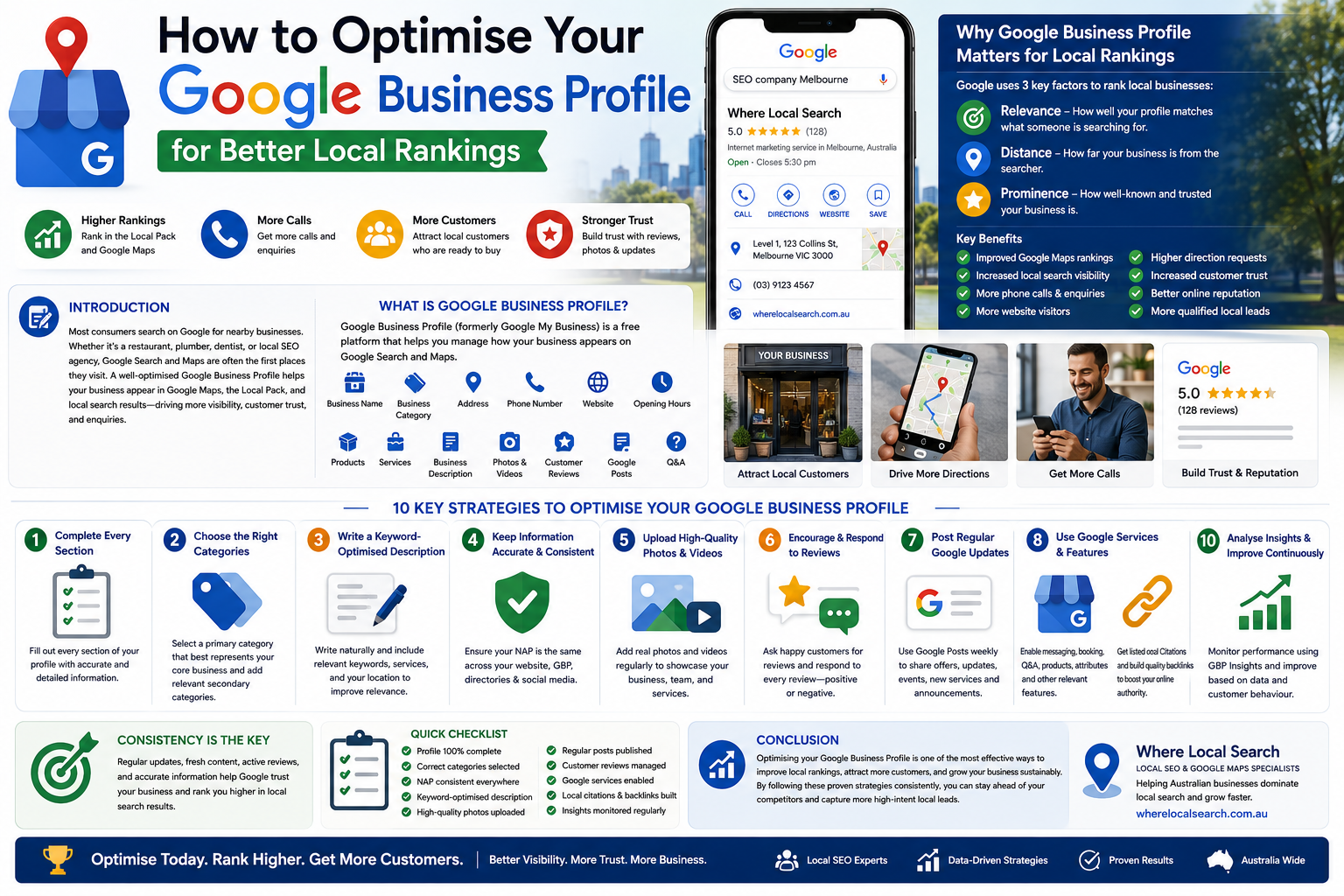
How to Optimise Your Google Business Profile for Better Local Rankings
A Step-by-Step Guide to Ranking Higher on Google Maps & Local Search
Introduction
Now that you have created and verified your Google Business Profile (GBP), the next step is ensuring local customers can actually find you. Simply having an active listing isn’t enough—Google uses a complex set of algorithms to determine which businesses appear in the top 3 spots of Google Maps and local search results, often called the Local 3-Pack.
Optimising your profile turns a basic digital listing into a high-converting lead generator. Whether you run a local café, a medical practice, or a service agency, this step-by-step guide will walk you through the essential optimization techniques needed to outrank your local competitors and attract more customers.
Prerequisites Before You Begin
Before diving into optimization, ensure you have an active and verified GBP account with access to your profile dashboard at google.com/business. Additionally, prepare high-quality media including recent, high-resolution photos of your business, logo, cover image, and team, along with core business details about your services, operating hours, and attributes.
Step-by-Step Optimization Guide
Complete Every Single Detail in Your Profile
Google favors listings that provide complete and detailed information because complete profiles build stronger trust with potential customers and rank higher. Open your profile manager and review every field, ensuring your Business Name, Address, and Phone Number (NAP) match your website and external directories exactly. Be sure to fill out optional details like accessibility features, payment methods accepted, and amenities.
Add Strategic Secondary Categories
While your Primary Category drives most of your search visibility, secondary categories expand the range of search queries your business can rank for. Navigate to Edit profile > Business category and add relevant secondary categories that describe additional services or products you offer. Remember not to over-stuff irrelevant categories—only select those that accurately represent your business offerings.
Write an Engaged, Keyword-Rich Business Description
Your business description gives prospective customers a clear overview of who you are while providing vital context to search engines. You have up to 750 characters, so make every word count by naturally incorporating your primary business keywords and core location. Focus on your unique selling points (USPs), history, and what sets you apart, while avoiding links, promotional fluff, or all-caps text.
Upload High-Quality Photos and Videos Regularly
Visual content significantly increases engagement, as listings with photos receive dramatically more requests for directions and website clicks. Set a clean logo and a high-resolution cover photo that represents your brand, and upload interior, exterior, team, and work photos. Uploading new photos weekly or monthly signals to Google that your business is active and operational.
Detail Your Services or Product Catalog
Make it easy for customers to see what you offer directly on Google Search and Maps without leaving the page. For service businesses, go to the Services tab and list every core service you offer with clear descriptions and pricing where applicable. For retail or product-based businesses, use the Products feature to build a visual menu showcasing your best-selling items and direct purchase links.
Build a Proactive Strategy for Customer Reviews
Online reviews are one of the strongest ranking factors for local SEO and directly influence customer trust. Proactively request reviews from happy customers via email, SMS, or in-person using your short direct review link obtained from your GBP dashboard. Make it a rule to reply promptly and professionally to every review, thanking satisfied customers and constructively addressing negative feedback.
Turn On Messaging and Enable Q&A
Direct engagement features keep potential clients on your profile longer and boost conversion rates. Turn on the chat feature to allow customers to contact you instantly via Google Maps, ensuring fast responses to prevent Google from disabling the feature. Additionally, pre-populate the Questions & Answers section by asking and answering common customer queries yourself, such as parking availability or quote details.
Post Regular Updates & Offers via Google Posts
Google Posts act like micro-blog updates directly on your search listing, signalling to Google that your business is actively operating. Publish updates at least once a week to share announcements, seasonal promotions, upcoming events, or blog posts, always including a clear image and a call-to-action (CTA) button such as "Book Now," "Learn More," or "Call Today."
Key Takeaways for Long-Term Success
Optimising your Google Business Profile is not a one-time setup; it requires continuous maintenance. Keep your business hours and special holiday hours updated in advance to prevent negative customer experiences. Continuously monitor your GBP performance metrics to analyze how customers find you and what actions they take, and maintain consistent information across your website, social media, and local directories to build long-term domain authority.