
Turning Data Performance into Local Sales and Revenue
Many business owners think that once their Google Business Profile (GBP) is verified and optimized, the job is done. However, local SEO is an ongoing process, and the key to outsmarting your competition lies in your profile's data dashboard. Google Business Profile Performance Insights is a powerful analytical tool that shows you exactly how people find your business and what they do after discovering your profile.
Data that is never acted upon is just a way to look busy. By understanding how to read these metrics and using them to make strategic adjustments, you can bridge the gap between simple online impressions and tangible local revenue.
In this guide, we will break down the essential metrics you need to track, what they tell you about customer behavior, and how to use them to grow your business.
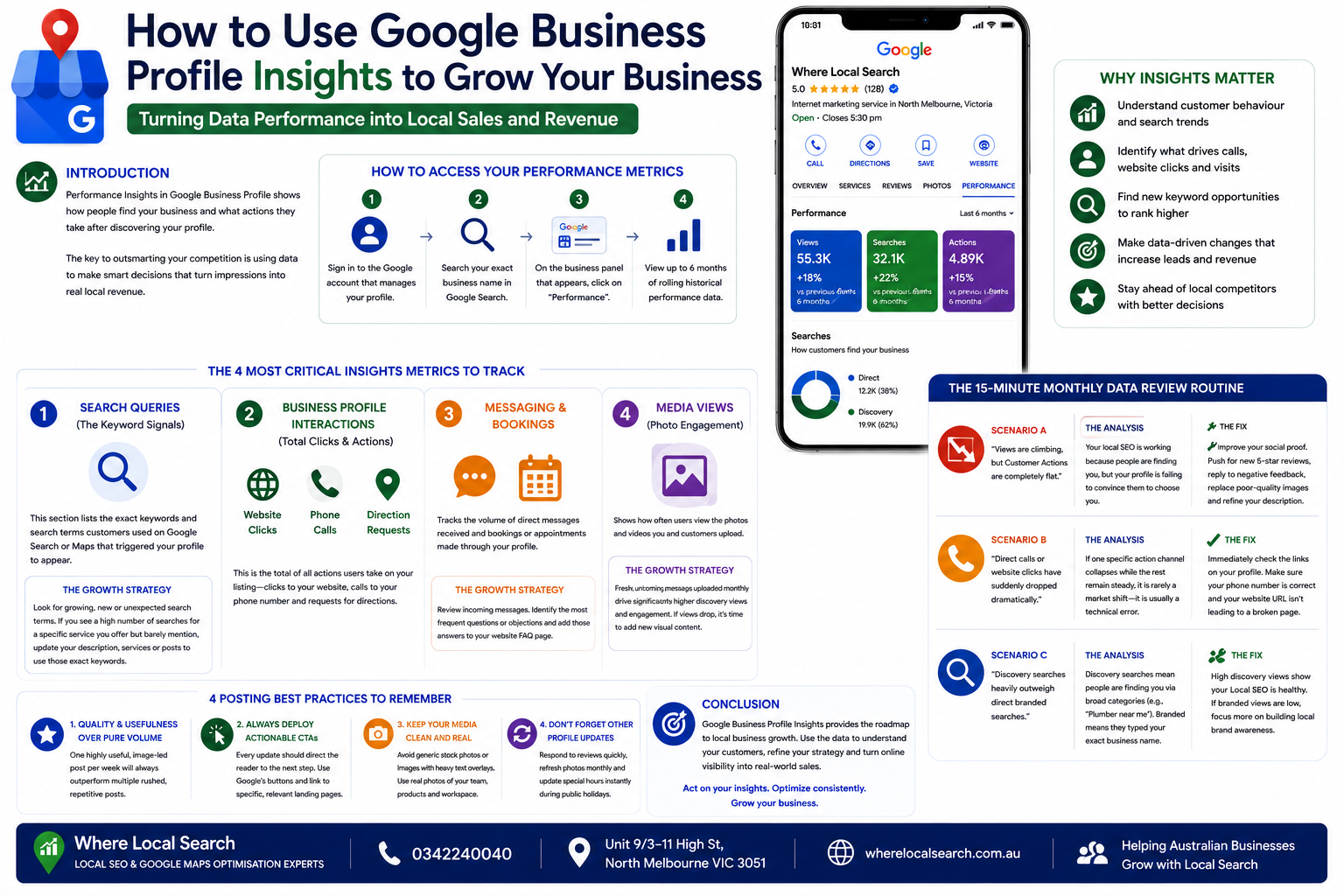
How to Access Your Performance Metrics
Google allows you to view up to six months of rolling historical performance data directly from Search or Maps.
1. Sign In: Make sure you are signed into the Google account that manages your business profile.
2. Search Your Business: Search your exact business name directly in the Google search bar or Google Maps.
3. Open Dashboard: On the merchant management panel that appears above search results, click on the "Performance" tab.
The 4 Most Critical Insights Metrics to Track
Rather than getting lost in vanity numbers, focus your attention on these core engagement metrics:
1. Search Queries (The Keyword Signals)
This section lists the precise keywords and search terms customers entered into Google Search or Google Maps that triggered your business profile to appear.
💡 The Growth Strategy: Look for growing, new, or unexpected search terms. If you see a high number of searches for a specific service that you offer but barely mention, immediately update your business description, services list, or upcoming Google Posts to use those exact keywords.
2. Business Profile Interactions (Total Clicks & Actions)
This represents the absolute sum of all actions users took on your listing. It tracks:
- Website Clicks: Searchers clicking through to your site.
- Phone Calls: Users clicking the "Call" button directly from their smartphones.
- Direction Requests: Customers mapping a route to your physical office or storefront.
3. Messaging & Bookings
If you have activated the chat or integrated booking features on your profile, this metrics tab monitors the volume of custom customer enquiries and scheduled appointments.
💡 The Growth Strategy: Review incoming direct chat messages. Identify the most frequent questions or hurdles customers present before buying, and add those directly to the FAQ page on your main website.
4. Media Views (Photo Engagement)
This shows how often users are viewing the visual media uploaded by you and your customers.
💡 The Growth Strategy: Profiles that consistently publish fresh, authentic smartphone photos monthly get significantly higher discovery impressions and user interaction rates compared to static galleries. If views drop, upload new visual proof of your work.
The 15-Minute Monthly Data Review Routine
To make sure you are actively using your insights to scale your business, dedicate 15 minutes at the beginning of every month to ask these diagnostic questions:
The Analysis: Your local SEO is working because people are finding you, but your profile is failing to convince them to choose you.
The Fix: Improve your social proof. Push for new 5-star reviews, reply to negative feedback professionally, replace poor-quality images, and refine your business description.
The Analysis: If one specific action channel collapses while the rest remain steady, it is rarely a market shift—it is usually a technical error.
The Fix: Immediately check the links on your profile. Make sure your phone number is correct and your website URL isn't leading to a broken 404 page.
The Analysis: Discovery searches mean people are finding you via broad categories (e.g., "Plumber near me"). Branded means they typed your exact company name.
The Fix: High discovery views show your Local SEO is healthy. If branded views are low, focus more on building long-term local brand awareness in your area.
Conclusion
Google Business Profile Insights provides the ultimate roadmap for local business expansion. Instead of guessing what your local audience wants, you can let the historical search queries and user action metrics tell you exactly how to adjust your marketing efforts.
Remember, insights show you what is happening on your current listing, but they do not show you where you stand on a geographical grid against local competitors.
If analyzing complex digital metrics, running geo-performance tracking, and adjusting keywords monthly sounds overwhelming while managing day-to-day storefront operations, professional management makes it seamless. The team at Where Local Search helps businesses across Australia translate complex GBP insights into targeted local SEO adjustments that drive continuous leads, visibility, and commercial success.